Tack

A project board that can hand its own items to an AI coding agent — Claude Code, Codex, docket, or opencode — and track the run as part of the item's history. Self-hosted, one binary, no cloud account.
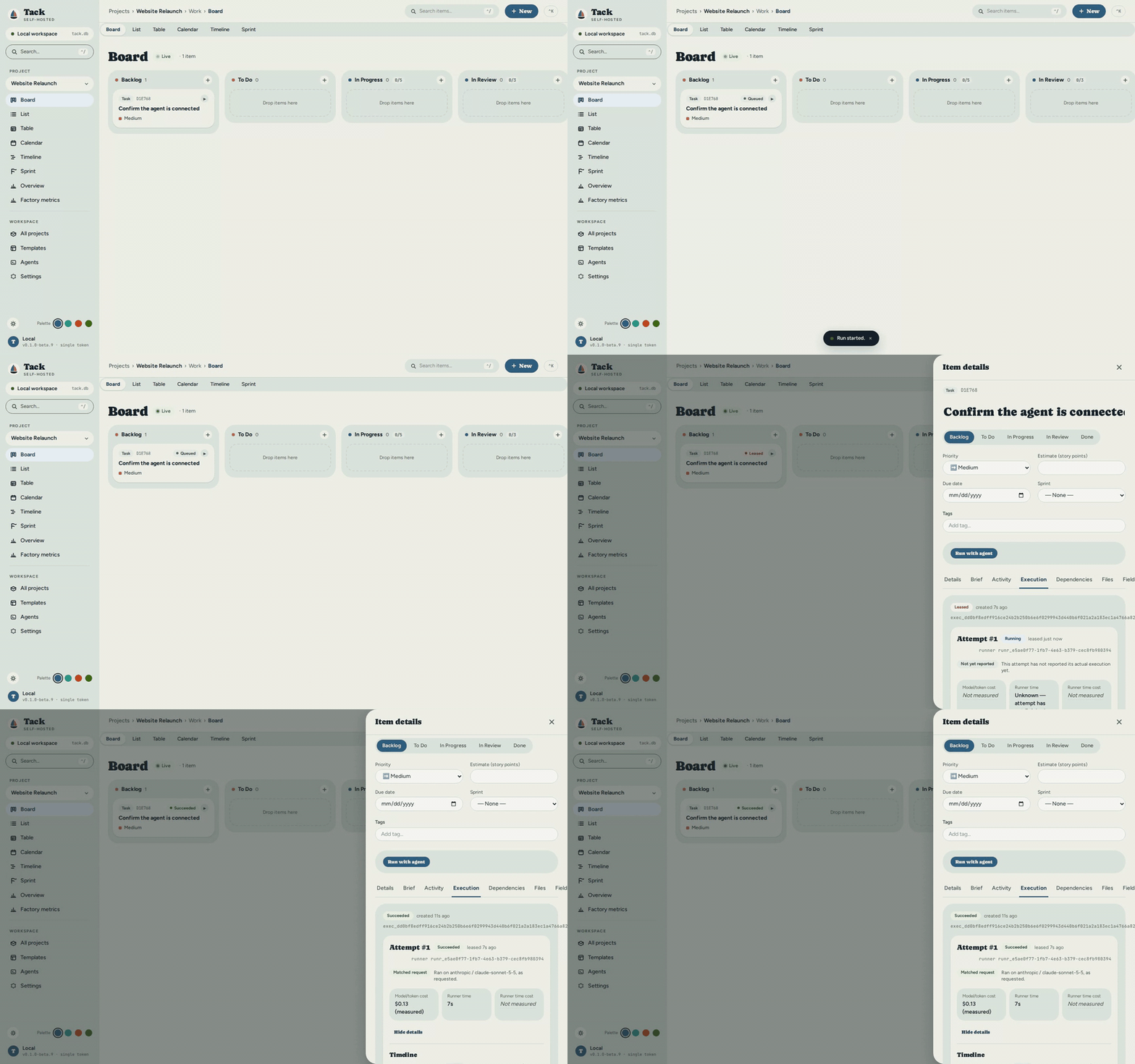
Tack tracks work for any domain — software sprints, a kitchen renovation, thesis chapters, a maintenance schedule — through fully configurable vocabulary and workflow columns, and can hand any item that's agent-eligible to a real coding-agent run instead of just tracking it. No accounts. No cloud. No subscriptions. One binary, one SQLite file.
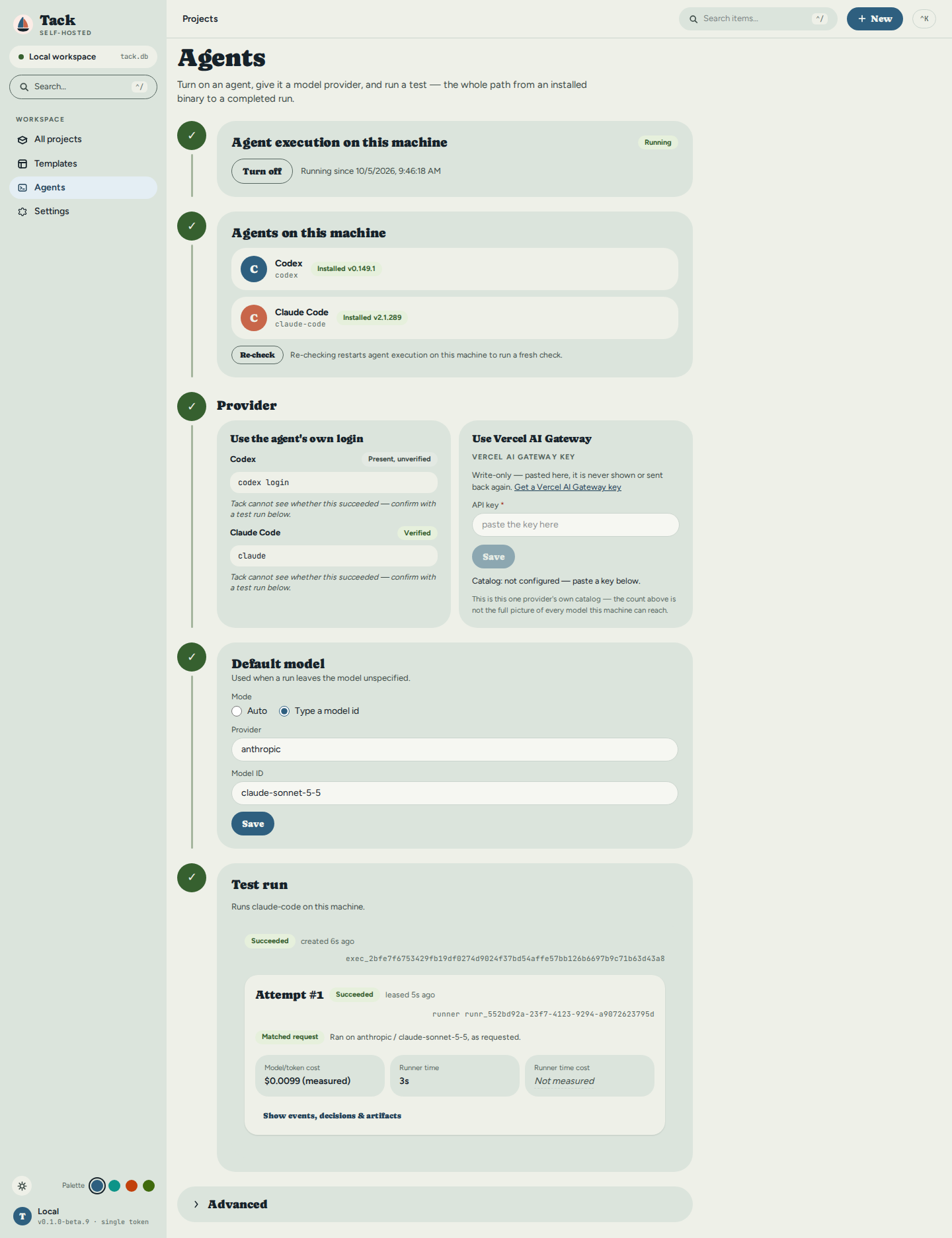
The board and the runner
Under the hood, Tack is two components, built to be one product.
The board is the project manager: workflows, timelines, dependencies, per-project vocabulary — one binary, one SQLite file, no accounts, no cloud. It is the plan, the policy and the record. It decides what runs, when, under which limits, and it keeps the durable history of every run: events, decisions, artifacts, and what it measurably cost. It never executes code and never holds a model credential.
The runner is a small worker that lives where the code and the credentials already are — a laptop, a CI box, a machine with a GPU. It pulls work from the board, checks out an isolated workspace, launches the coding agent you already use — Claude Code, Codex, docket, or opencode — and reports back. It holds the keys; the board never sees them.
They are separate because they scale and fail differently. One board, many runners: a board on a small VPS dispatches to runners on ten developers' machines, each with its own agent, model and capacity. A runner that dies mid-run cannot corrupt the board — its lease expires and its fencing token stops writing. A board that restarts cannot lose a run — the runner's journal knows what it started. One developer runs both in one process with one command, on the same contract, with the same recovery.

Core concepts
Six terms recur throughout this documentation:
| Term | What it means |
|---|---|
| Item | The basic unit of work. One Item model backs everything — a task, bug, feature, epic, building, work order, assignment — and your project's vocabulary decides how it's labeled. |
| Workflow | The set of named status columns an item moves through (e.g. To Do → Doing → Done), each with a category and an optional WIP limit. See Workflows & Statuses. |
| Project type | A template chosen at creation that pre-loads a matching workflow and vocabulary (software, construction, legal, …). Everything stays editable afterward. |
| Vocabulary | Per-project label overrides that rename built-in terms to your domain — "Task" → "Work Order", "Sprint" → "Phase". The UI, CLI, and API all follow your terms. See Vocabulary. |
| Runner | A small worker process that lives where your code and credentials already are, pulls eligible items from the board, launches a coding-agent harness, and reports back. See Agent Runners. |
| Run (attempt) | One execution of an item by a runner — leased under a fencing token so at most one attempt is ever active, and recorded as durable history: events, decisions, artifacts, and measured cost. |
How this documentation is organized
| Section | For whom |
|---|---|
| User Guide | Anyone running Tack: setup, views, CLI, configuration |
| Developer Guide | Contributors and people extending the codebase |
| Learning Path | Developers new to Rust, Axum, or SolidJS; explains the stack with analogies |
| Roadmap | What each development phase set out to do, and what came of it |
Quick links
- Agent Runners & Fleet Execution — handing a board item to Claude Code, Codex, docket, or opencode
- Quick Start — up and running in five minutes
- Architecture Overview — the mental model behind the codebase
- Frontend & Design System — tokens, palettes, and the UI kit
- Rust Primer — start here if Rust is new to you
- API Reference — every REST endpoint (see
docs/openapi.jsonfor the exact, generated count)
Keeping docs current
These docs live alongside the code in docs/book/src/. Every push to develop runs
mdbook build in CI (with a broken-link check). If the book fails to build, CI fails,
so structural drift is caught before it merges.
For prose changes (user-facing descriptions, learning explanations), update the relevant
.md file in the same PR as your code change. The "Edit this page" link at the top of each
page opens the file directly on GitHub.
docs/book/src/
├── user-guide/        ← user-facing docs
├── developer/         ← contributor docs
│   └── learning/      ← stack explanation with analogies
└── roadmap.md