Image understanding (OCR) — a vision fine-tune, proven
Adapta can fine-tune a vision model to read your images and answer in your format.
This page registers a real, GPU-backed run of that path on the
qwen2.5-vl-3b-instruct base — an invoice OCR fine-tune: it reads an invoice
image and extracts the vendor and total as JSON. Everything below is from real
training and serving, captured from the console.
How a vision fine-tune divides the work
The base Qwen2.5-VL model already reads text in images (OCR is built in). The
fine-tune doesn't teach it to read — it teaches it to answer in your fixed shape
(here, {"vendor": …, "total": …}). Same idea as the text structured extraction
case, but the input is a picture. Image understanding only — never image generation.
What this run trained
| Base model | qwen2.5-vl-3b-instruct (vision) |
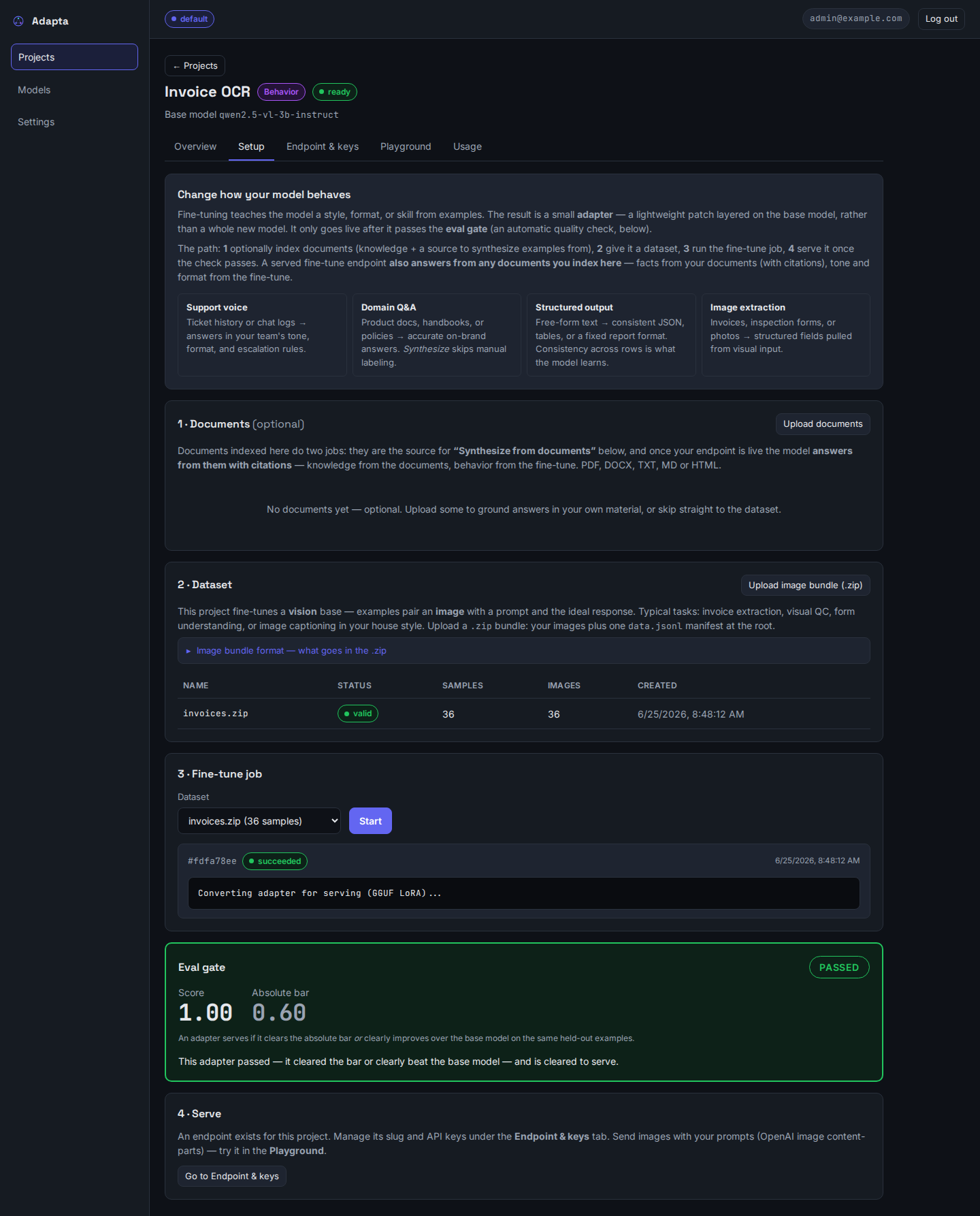
| Dataset | a .zip image bundle — 36 invoice images + a data.jsonl manifest |
| Each row | an invoice image → {"vendor": "Qorvex", "total": 7700} |
| Eval gate | ✅ PASSED — score 1.00 (held-out invoices the model never trained on) |
| Served | a brand-new invoice image → {"vendor": "Qorvex", "total": 9450} |
1 · Upload the image bundle, train, pass the gate
A vision dataset is a .zip: your images plus one data.jsonl manifest whose rows
point at each image by bundle-relative path. The console takes the bundle, validates
every image, trains the VLM LoRA (vision tower frozen), and scores it on held-out rows.

2 · Serve it — attach an invoice image, get JSON
The endpoint accepts OpenAI image content-parts. In the console Playground we attach an invoice the model never saw and ask for the fields — it reads the picture and returns the trained JSON.
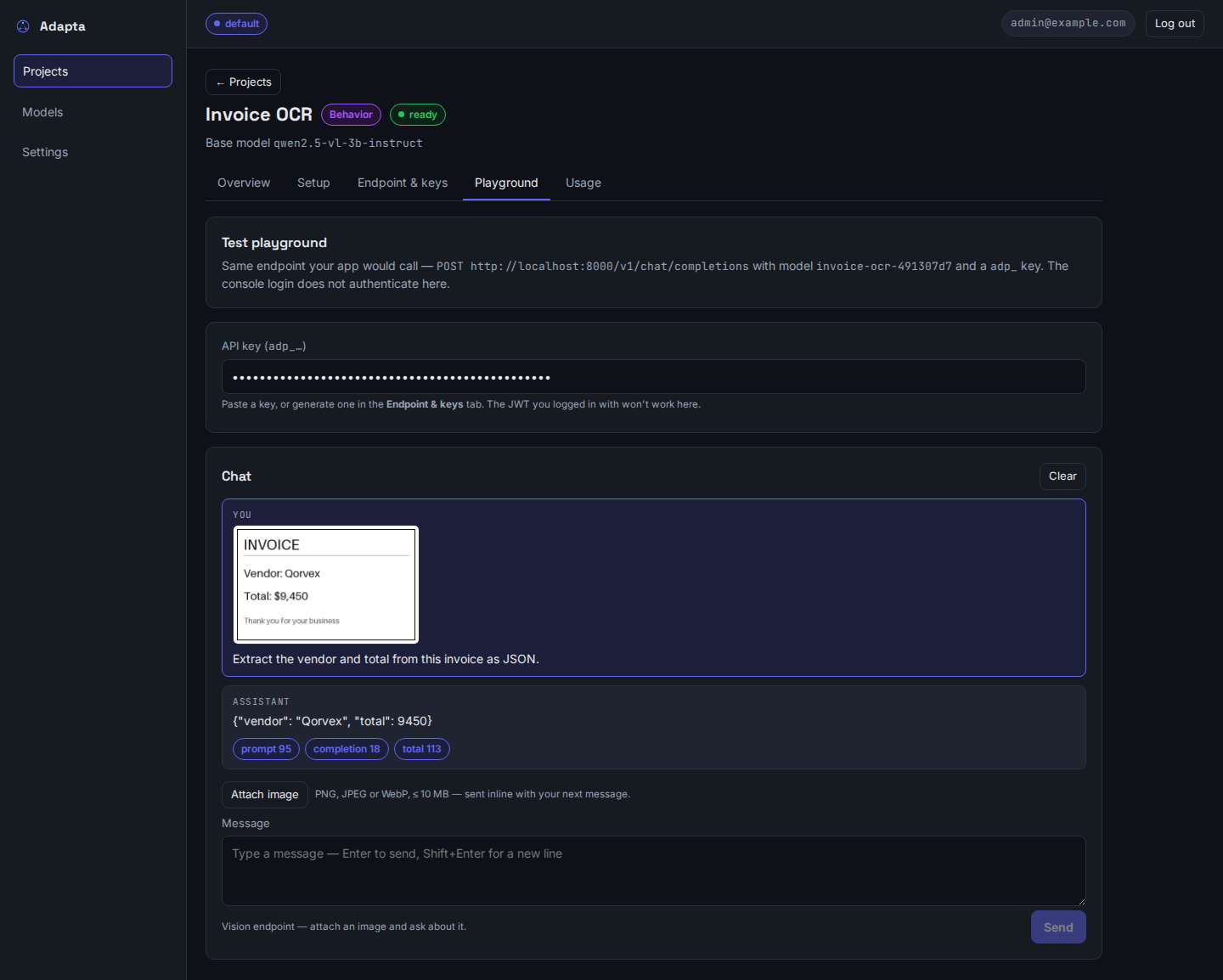
The invoice in the screenshot reads Vendor: Qorvex / Total: $9,450 — and the served
answer is exactly {"vendor": "Qorvex", "total": 9450}. The model read the image (OCR)
and emitted the shape the fine-tune taught it.
Bundle format and calling the endpoint
invoices.zip
├── data.jsonl          ← one manifest at the root
└── images/
    ├── invoice_00.png
    └── invoice_01.png
{"prompt": "Extract the vendor and total from this invoice as JSON.", "response": "{\"vendor\": \"Qorvex\", \"total\": 7700}", "images": ["images/invoice_00.png"]}
Call it like any OpenAI vision endpoint — the image goes inline as a data URL (the server never fetches remote image URLs):
import base64
from openai import OpenAI

client = OpenAI(base_url="http://localhost:8000/v1", api_key=KEY)  # an adp_… key
data_url = "data:image/png;base64," + base64.b64encode(open("invoice.png", "rb").read()).decode()

r = client.chat.completions.create(
    model=SLUG,
    messages=[{"role": "user", "content": [
        {"type": "image_url", "image_url": {"url": data_url}},
        {"type": "text", "text": "Extract the vendor and total from this invoice as JSON."},
    ]}],
)
print(r.choices[0].message.content)   # {"vendor": "Qorvex", "total": 9450}
When a bundle has bad images
Real bundles are messy — a manifest can reference an image that didn't make it into
the zip, a scan can be corrupt, or one file can exceed the size/dimension caps. The
console validates every referenced image and reports all problems in one pass
(up to 25, then … and N more), so you fix a large bundle in a single round instead
of discovering issues one re-upload at a time. The dataset shows invalid with a
report like:
Found 3 problem(s) in the dataset:
  • Line 12: image 'images/invoice_11.png' not found in the bundle
  • Line 27: image 'images/invoice_26.png' cannot be decoded
  • Line 40: image 'images/invoice_39.png' is 9000x6000; the longest side may be at most 8192px
Fix these and re-upload.
Nothing is trained until the bundle is fully valid — a single bad row keeps the
whole dataset invalid, so a broken image can never silently degrade a fine-tune.
Reproducing this
The automated smoke test trains a VLM LoRA, gates it on held-out images, converts it to
GGUF, and serves an image request — verified green (1 passed):
docker compose exec -e ADAPTA_RUN_VLM_E2E=1 app \
  python -m pytest -m "integration and slow" tests/integration/test_vlm_lora_e2e.py -s
v1 limits and a serving note
Image requests are data-URL only, non-streaming, up to 4 images per request,
and skip document retrieval (no RAG composition with image input). Serving a VLM is
heavier than text: the first image request loads the base GGUF plus the mmproj
vision projector, and on a host that serves inference on CPU that cold load is
slow — keep ADAPTA_MAX_LOADED_MODELS modest when several vision endpoints share one
box. The first run of the smoke test also downloads the ~7 GB VL base.